Welcome to the Sage CRM Support Group on Community Hub! Available 24/7, the forums are a great place to ask and answer product questions, as well as share tips and tricks with Sage peers, partners, and pros.
Our Sage CRM Hints, Tips and Tricks will help you make the most of the your Sage CRM software. Receive a handy tip delivered monthly straight to your inbox.
This page contains links to articles and guides that explain how to manage translations, languages, and captions in Sage CRM for system administrators and developers.
Sage CRM has built-in translations for English, French, Spanish, and German. You c...
This article provides a sneak preview of the key features and enhancements in development for Sage CRM 2024 R1. It also highlights the roadmap for the upcoming years, giving you a glimpse of the direction of the product.
What's coming in Sage ...
[Here is part 3 of this series]
[JEFF]: OK - so we have both been working with CRM for a few years now - what advice can we give to customers and their approach to their partners when "looking for CRM"?
[DAVID]: Consider what sort of buyer ...
Last month I came across a peculiar request. The BP was using CRM internally and the logs were showing authentication issues, not allowing it to connect to the mailbox. This error is a recuring one about twice a year.
Initially we thought this ...
Across 3 episodes, we talk with Quirijn Kleppe, Head of Product & Growth at Leadinfo, a product that helps companies identify website visitors in real-time & add insight to support CRM activities.
In this episode, Quirijn talks about how Lead...
[Here is part 2 of this series]
[DAVID] The best "specialists" do not demonstrate product features at the first (or even second) sitting. They do not 'show up & throw up' - crass, I know, but visual! Instead, they take the time ...
We have seen in other posts that it is perfectly possible to create ASP pages that contain multiple blocks. These have been search pages or entry pages that have drawn their blocks from either the same or different entities.
What we have not discusse...
This article has been prompted by recent enquiries about how the performance of specific list screens in a customer's system can be improved.
Custom extensions of the interface can be made using either the .NET or Classic ASP APIs.
These are some ge...
Like any software, Sage CRM is susceptible to security vulnerabilities and bugs. That's why it's important to keep your Sage CRM system up to date with the latest patches and upgrades.
Sage recently announced that it updated its Sage CRM Hel...
This article has been prompted by a customer's questions as they completed a Data Protection Impact Assessment. A Data Protection Impact Assessment (DPIA) is a process to help organizations identify and minimize the risks to individuals' p...
[JEFF] So - speaking to your second theme, learning from CRM specialists over the years - I remember speaking to a partner in our North America market and the hornery subject of "why do people think CRM weren't work for them?" Their view was too many...
Across 3 episodes, we talk with Quirijn Kleppe, Head of Product & Growth at Leadinfo, a product that helps companies identify web site visitors in real-time & add insight to support CRM activities.
In this episode Jeff drills down on Leadinfo...
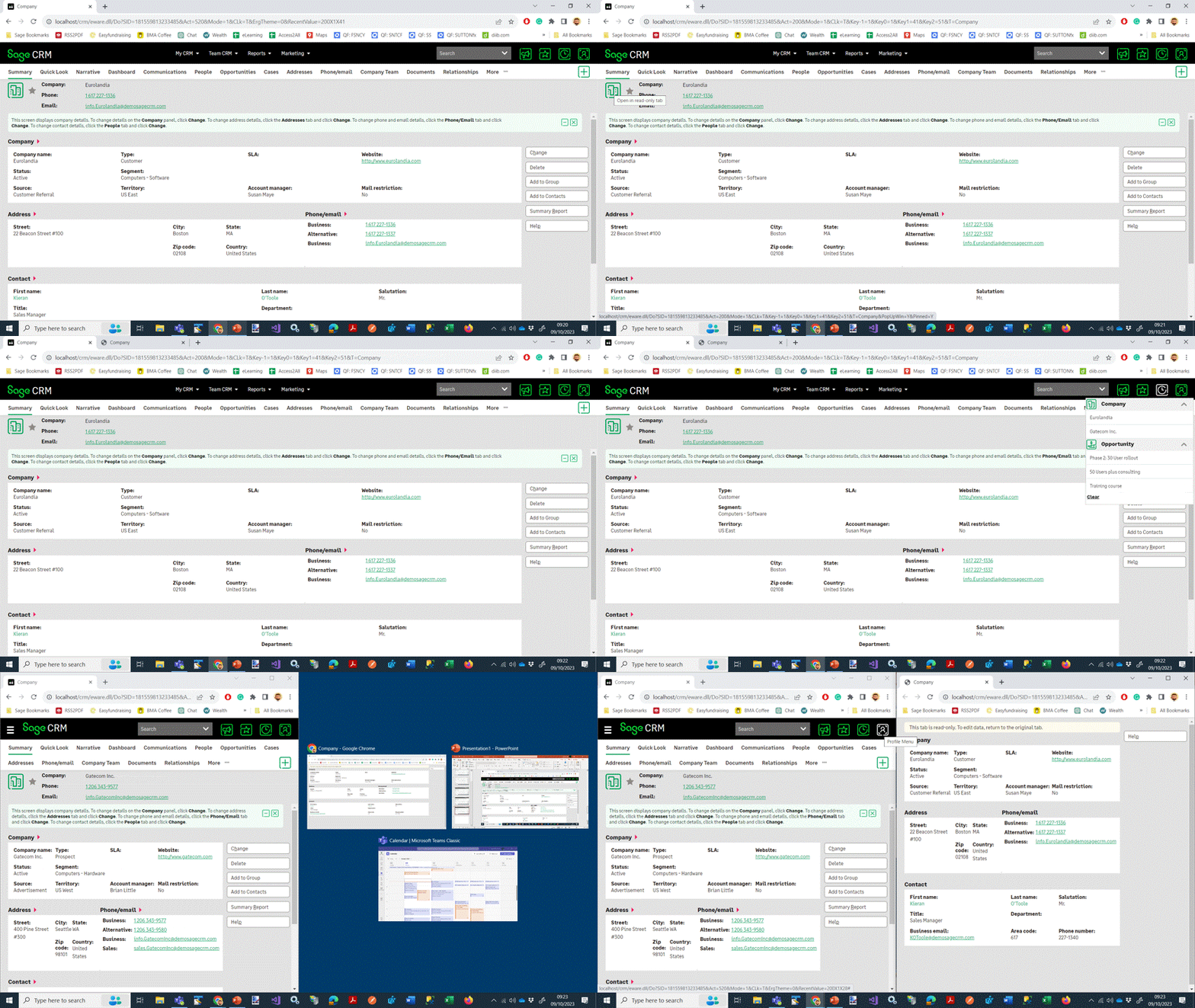
Sage CRM 2023 R2's Multiple Read-Only Tab feature is a game-changer for users who need to compare data from multiple screens at the same time. It allows you to open a read-only version of any screen in a new browser tab, so you can easily switch...
The changes in Sage 2023 R2 have focused on improving the User Experience and improving the integration with Microsoft Exchange. There have also been some important security changes and the deterministic AI feature of the Company Narrative is now tr...
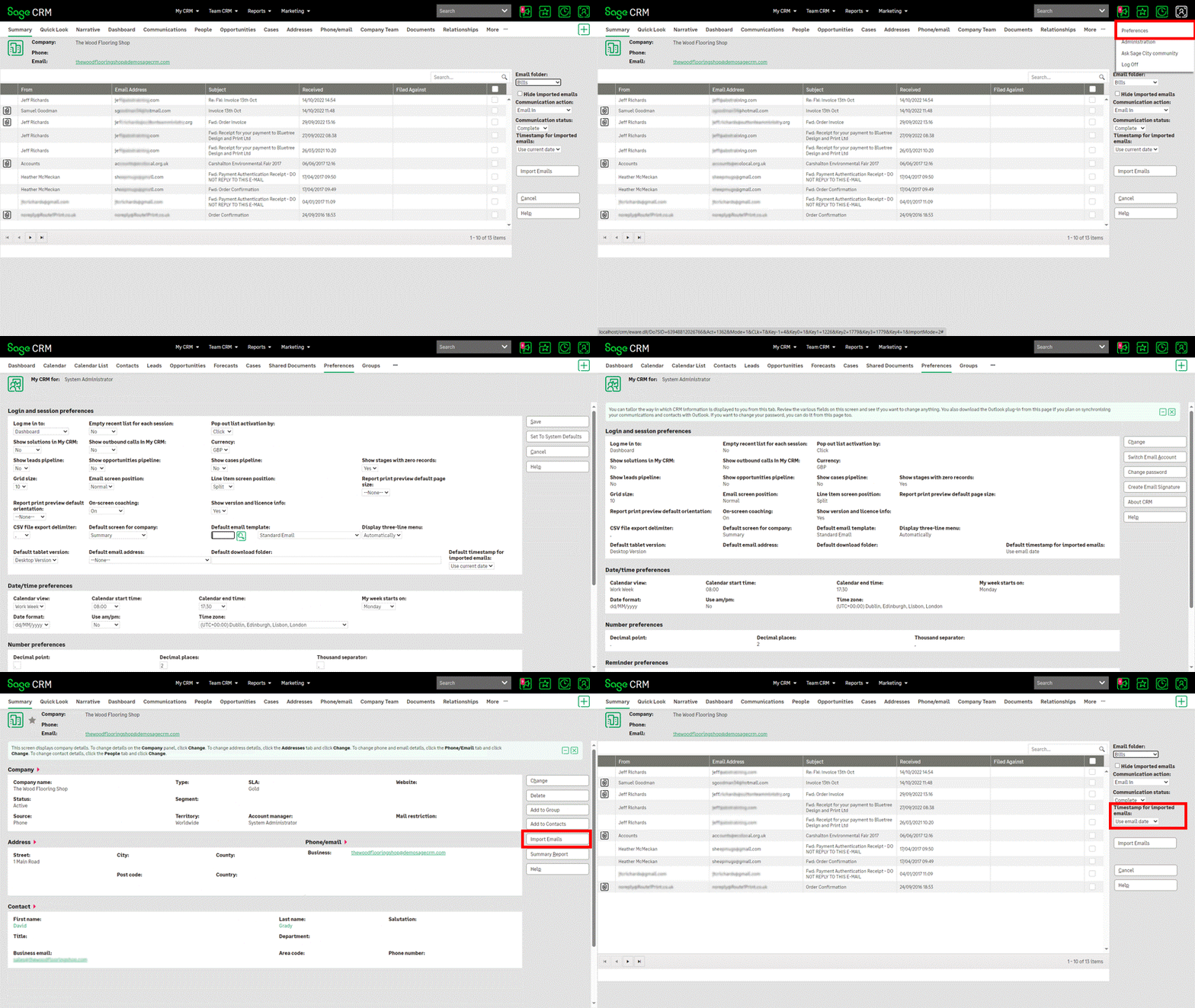
Sage CRM 2023 R2 has added a new column to the email import screen that shows whether a message has attachments.
The new column shows whether a message has attachments, and the other columns on the screen show information about the sender, recipients...
Sage CRM 2023 R2 has introduced a new option called "Default timestamp for imported emails". This option enables users and system administrators to set the default timestamp to apply to the emails imported from Microsoft Exchange Online.
T...
Sage CRM 2023 R2 has added support for single-tenant instances of Exchange Online.
When configuring OAuth 2.0 for an Exchange Online integration in Sage CRM, you can specify whether your Sage CRM app in Microsoft Entra ID supports a single tenant or ...
This article discusses the significance of securing web-based business applications like Sage CRM and Sage 300 through a strategy known as deep layered defence (DLD). These applications integrate customer management with accounting software and may ...
Sage CRM 2023 R2 includes a number of security enhancements, including fixes for bugs that affected the implementation of application security and changes to improve the overall hardness of the system.
Bug fixes
The following bugs that affected the ...
Sage CRM 2023 R2 has added the Multiple Read-Only Tab feature. This allows users to open a read-only version of the current screen in a new browser tab. Users can now reference and compare information from different screens simultaneously,...
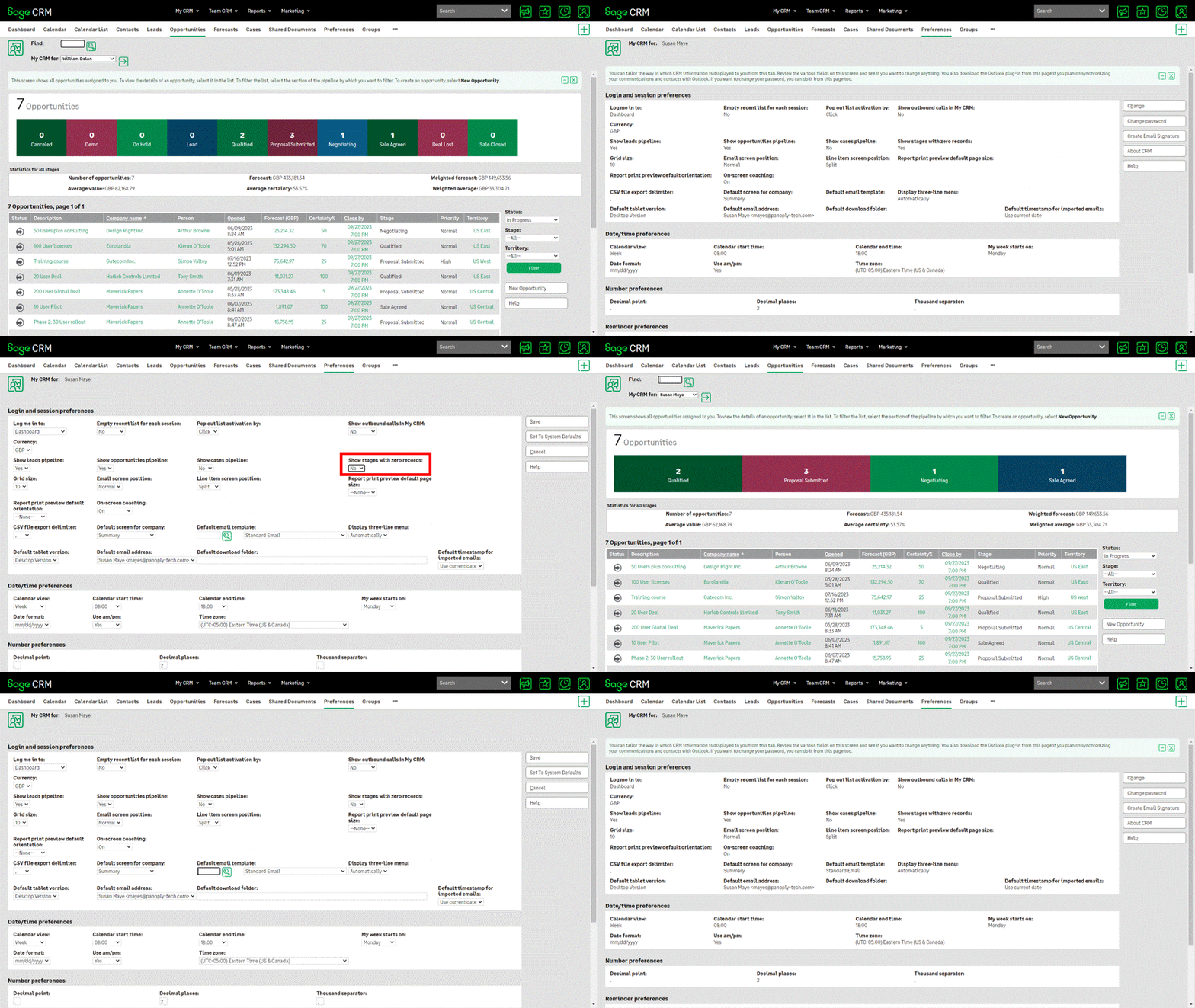
Sage CRM 2023 R2 has introduced a new option called "Show stages with zero records." This option allows users and system administrators to hide the stages of a rectangular pipeline that do not include any records. This option controls the c...
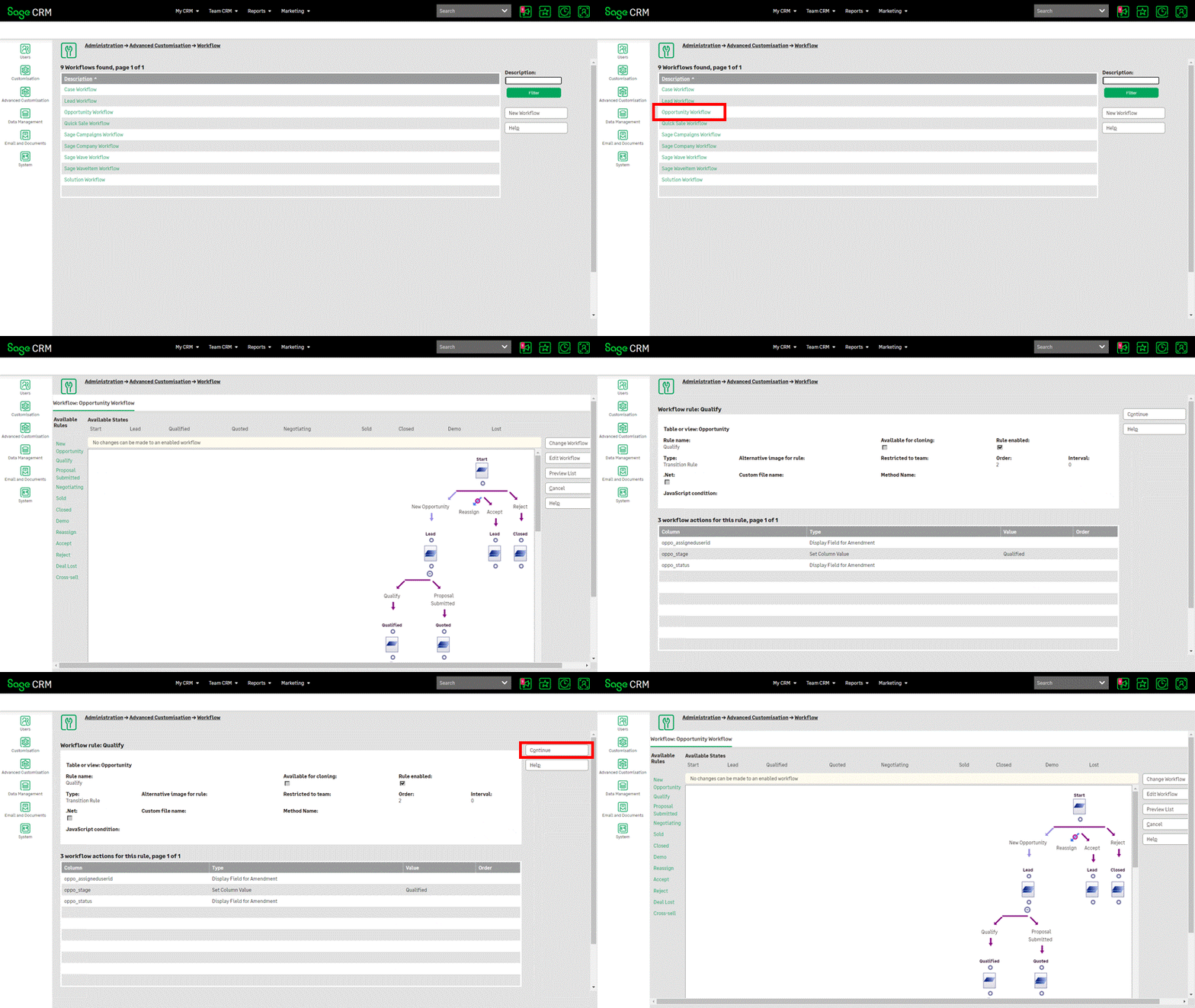
In Sage CRM 2023 R2 a system administrator no longer needs to disable a workflow to view the details of its rules and underlying actions. In the previous Sage CRM versions, a system administrator had to disable a workflow to do so.
Disabling a workf...
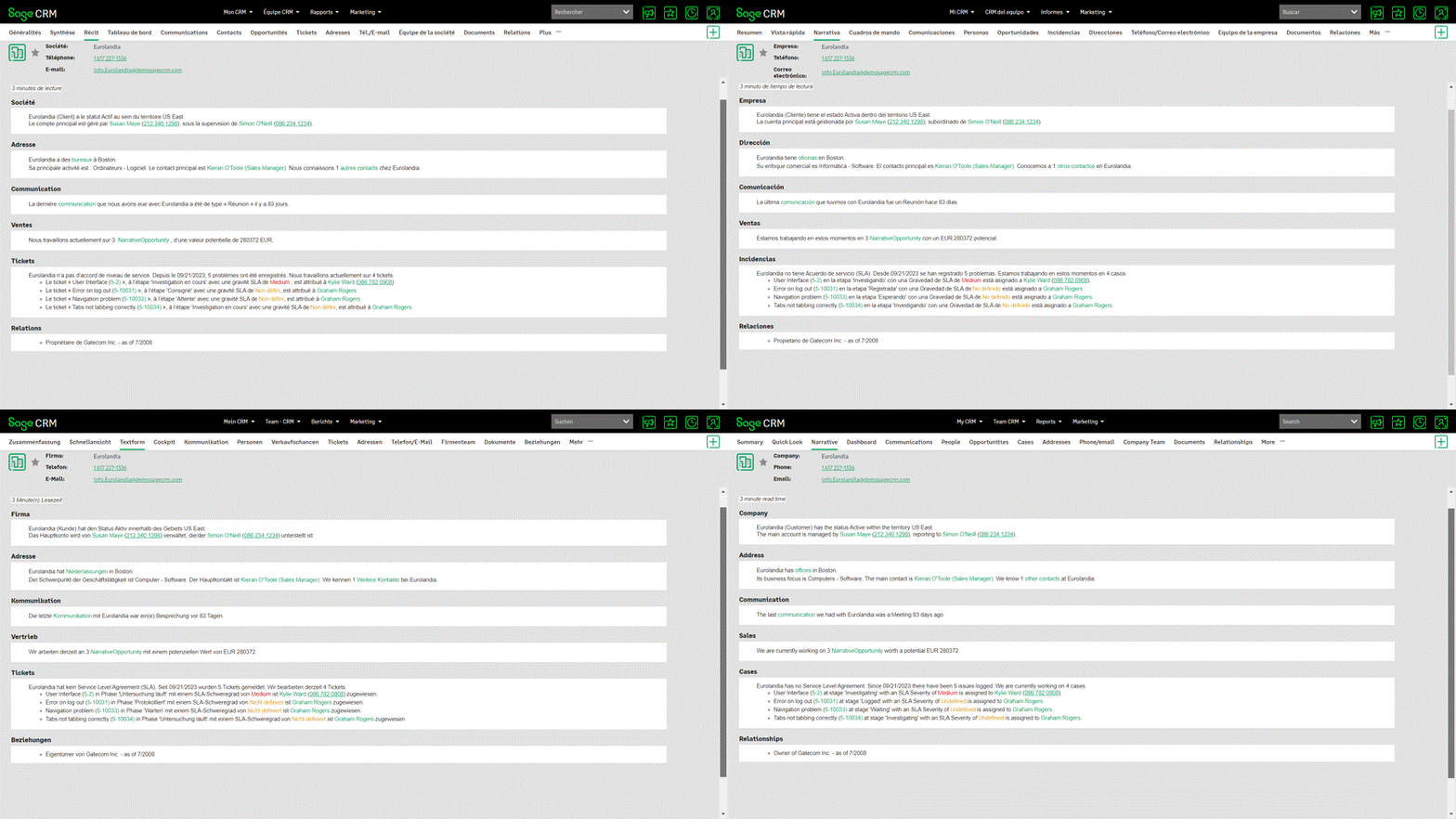
The Sage CRM Company Narrative is a feature that was introduced in Sage CRM 2023 R1. It uses a type of artificial intelligence to generate and display a narrative report containing an executive summary and business insights for each Company. The narr...
Sage CRM 2023 R2 has moved to use OpenJRE, a free and open-source Java runtime environment.
This article contains links to articles and resources that discuss the changes to the version of the Java Runtime Environment that a system administrator or d...
Sage CRM 2023 R2 has now been released from the development team. The exact release date in your country will be determined by your local Sage team as the final processes go to market preparations will need to be confirmed.
The Sage CRM Community has...